# Ultrasound Sensor

<figure><img src="https://kittenbothk.readthedocs.io/en/latest/_images/ultrasound_v3_render.png" alt=""><figcaption></figcaption></figure>

![](https://kittenbothk.readthedocs.io/en/latest/_images/ultrasound3.png)

<figure><img src="https://kittenbothk.readthedocs.io/en/latest/_images/ultrasound2.png" alt=""><figcaption></figcaption></figure>

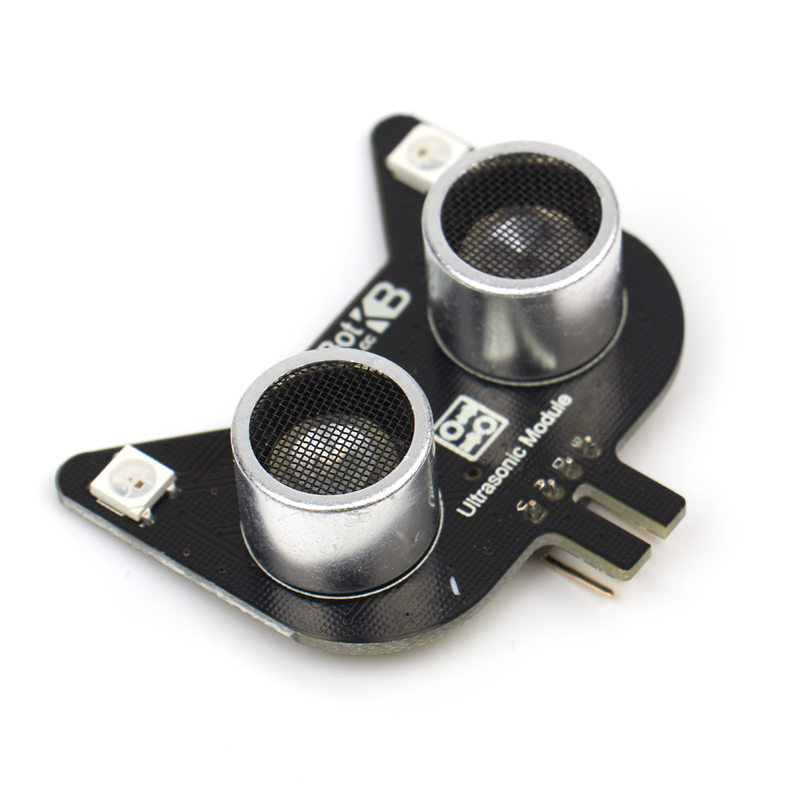
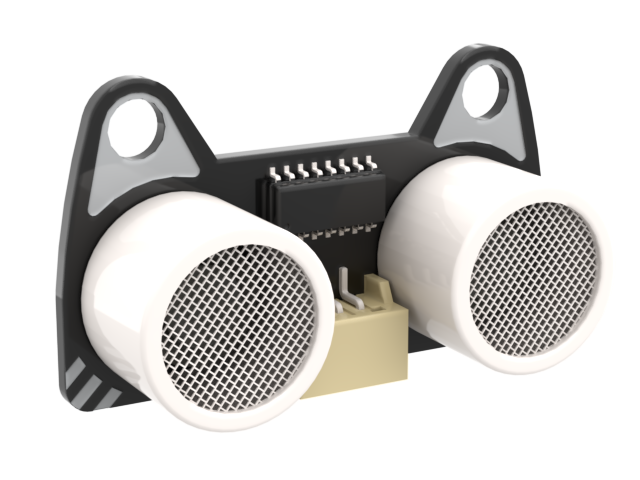
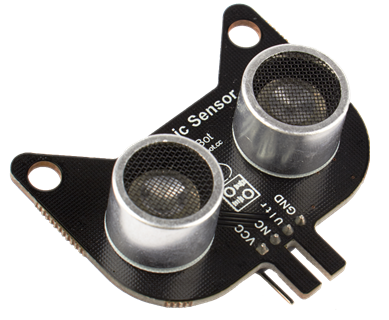
This is an ultra sound distance sensor.

### Specification

* Voltage: 5V
* Working Temperature: -25 \~ +80°C
* Signal Span: 30° Arc
* Detection Range: 5\~300cm (Error<1cm)
* Interface: 4Pin Dupont Cable

### Wiring Diagram

### Robotbit EDU
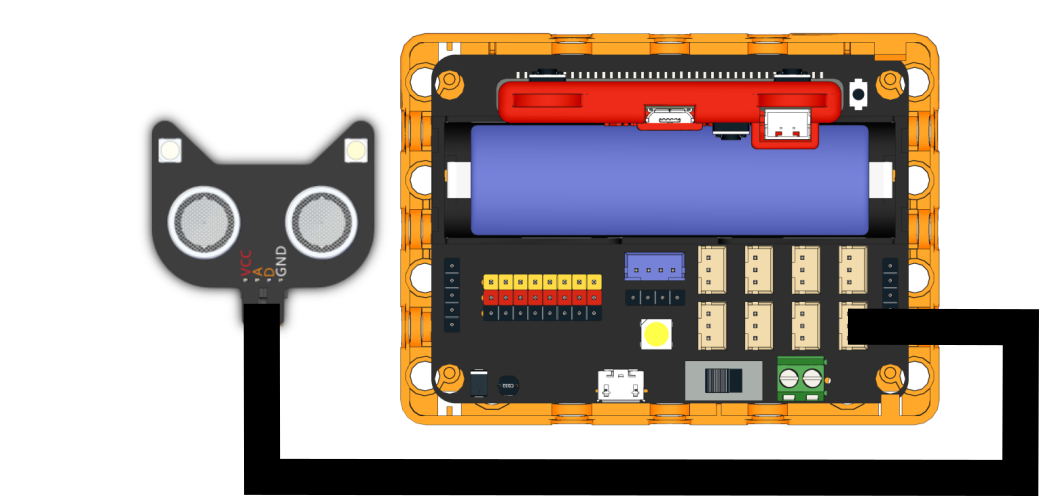
![](https://kittenbothk.readthedocs.io/en/latest/_images/nekoultrasound_wire_edu.png)

### Robotbit 2.2

The Ultra Sound sensor must connect to 5V.
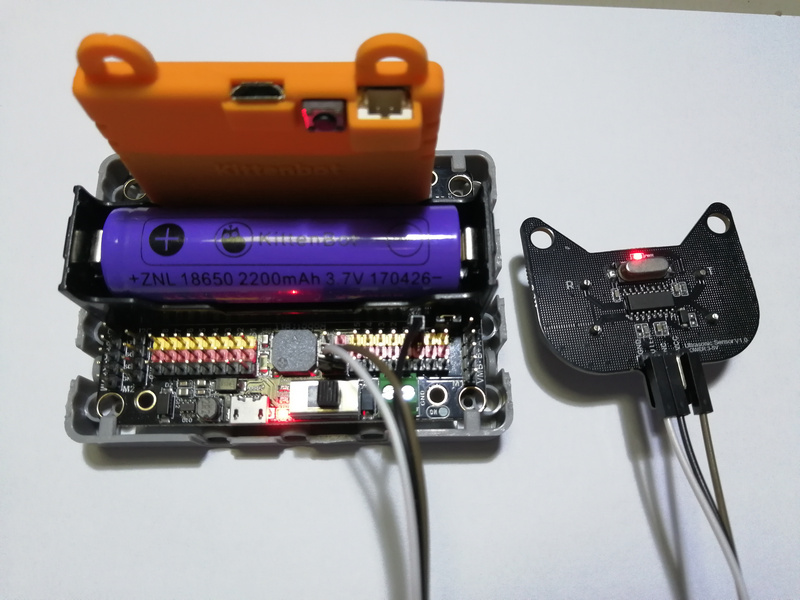
![](https://kittenbothk-eng.readthedocs.io/en/latest/_images/ultraSound1.jpg)

#### Ultra Sound Sensor V2

Connect the A(RGB LED) and D(Sensor) pin of Ultra Sound Sensor V2.
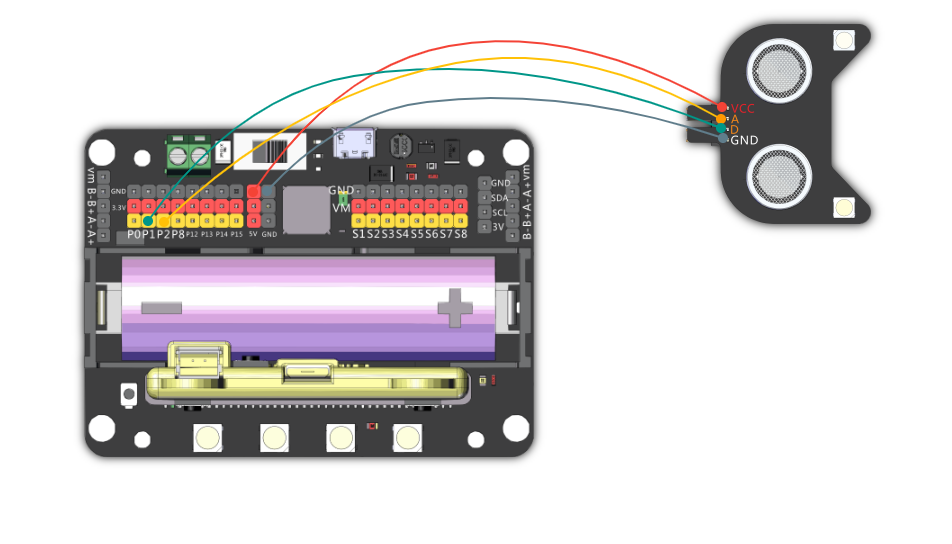
![](https://kittenbothk-eng.readthedocs.io/en/latest/_images/ultraSoundv2_wire.png)

#### Ultra Sound Sensor V1

Connect the Ultr pin of Ultra Sound Sensor V1.
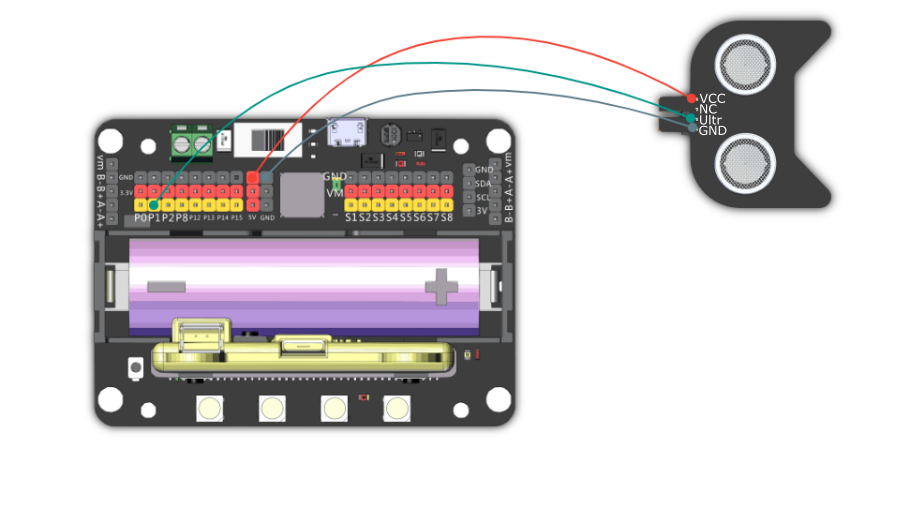
![](https://kittenbothk-eng.readthedocs.io/en/latest/_images/ultraSoundv1_wire.png)

### MakeCode Coding Tutorial

![](https://kittenbothk-eng.readthedocs.io/en/latest/_images/mcbanner.png)

![](https://kittenbothk-eng.readthedocs.io/en/latest/_images/acbanner.png)

#### This module can be used with Microbit and Meowbit.

#### Microbit:

#### Load Robotbit Extension: <https://github.com/KittenBot/pxt-robotbit>

[Importing Extensions Tutorial](/programming-platforms/makecode-tutorial/kittenbot-and-makecode.md)

#### Ultra Sound Sensor blocks:
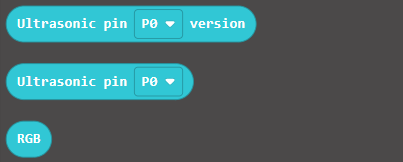
![](https://kittenbothk-eng.readthedocs.io/en/latest/_images/ultraSound_blocks.png)

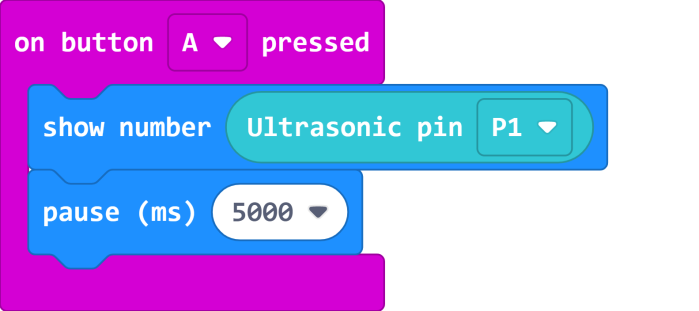
**Reading the distance:**

![](https://kittenbothk-eng.readthedocs.io/en/latest/_images/ultraSound_code1.png)

[Sample Code Link](https://makecode.microbit.org/_Lt021WgXuWfz)

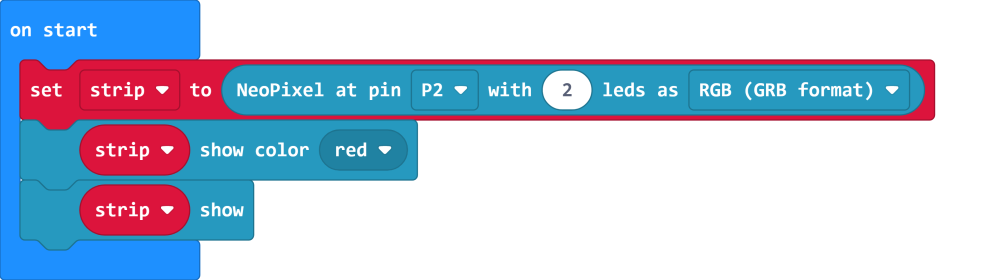
#### Controlling the RGB LED(only for V2)：

![](https://kittenbothk-eng.readthedocs.io/en/latest/_images/ultraSound_code2.png)

[Sample Code Link](https://makecode.microbit.org/_J9R5xhCwgJqH)

#### Demo Case:
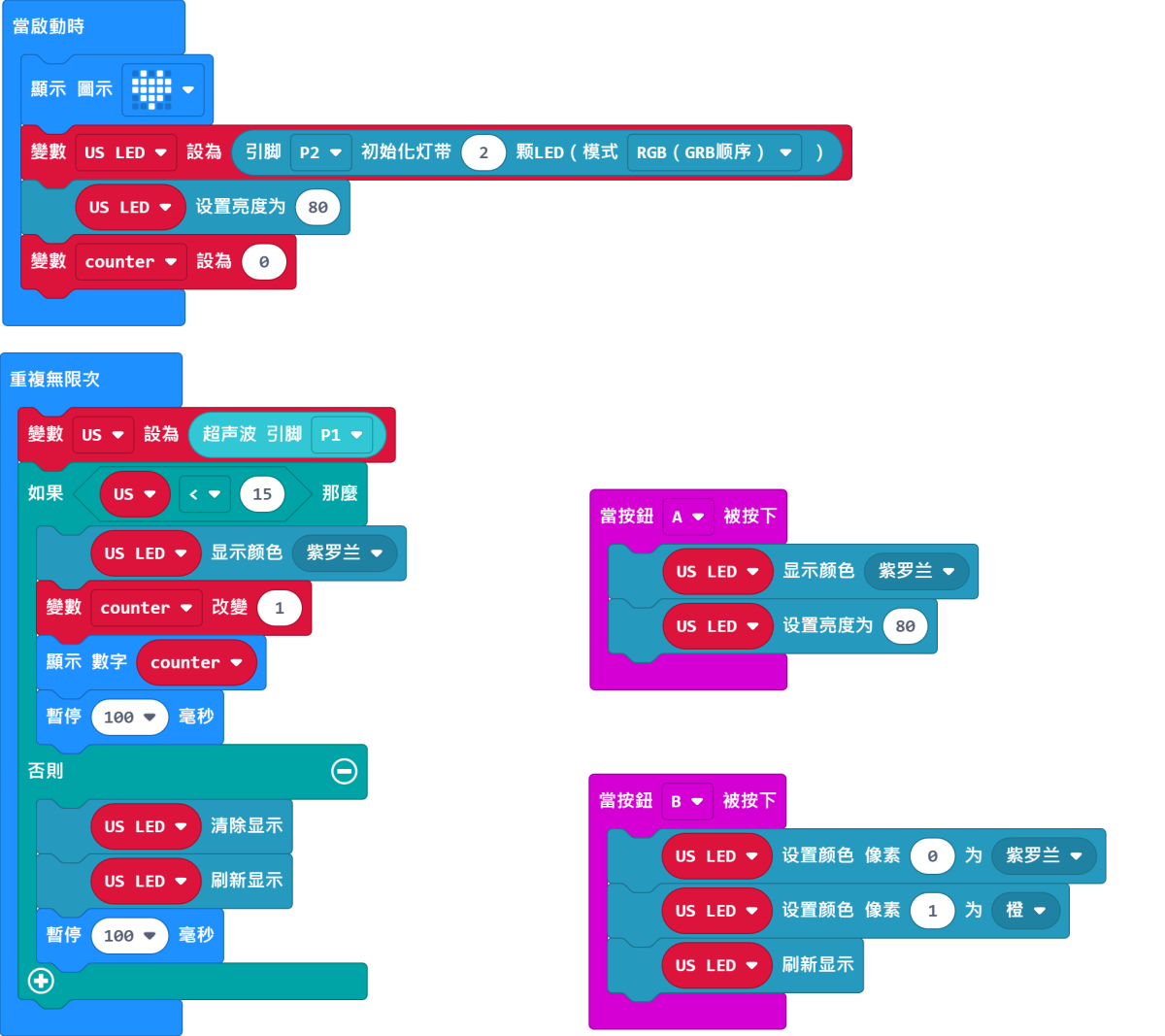
![](https://kittenbothk-eng.readthedocs.io/en/latest/_images/ultraSound_code3.png)

[Sample Code Link](https://makecode.microbit.org/_5vf48tf6xdVc)

#### Meowbit:

#### Load Robotbit Extension: <https://github.com/KittenBot/meow-robotbit>

#### [How to load extension?](https://kittenbothk-eng.readthedocs.io/en/latest/Makecode/powerBrickMC.html)

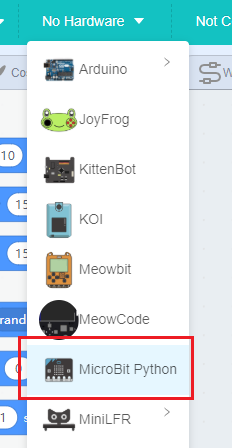
#### Load NeoPixel Extension:
![](https://kittenbothk-eng.readthedocs.io/en/latest/_images/neopixel.png)

#### Ultra Sound Sensor Blocks:

![](https://kittenbothk-eng.readthedocs.io/en/latest/_images/ultraSound_blocks.png)

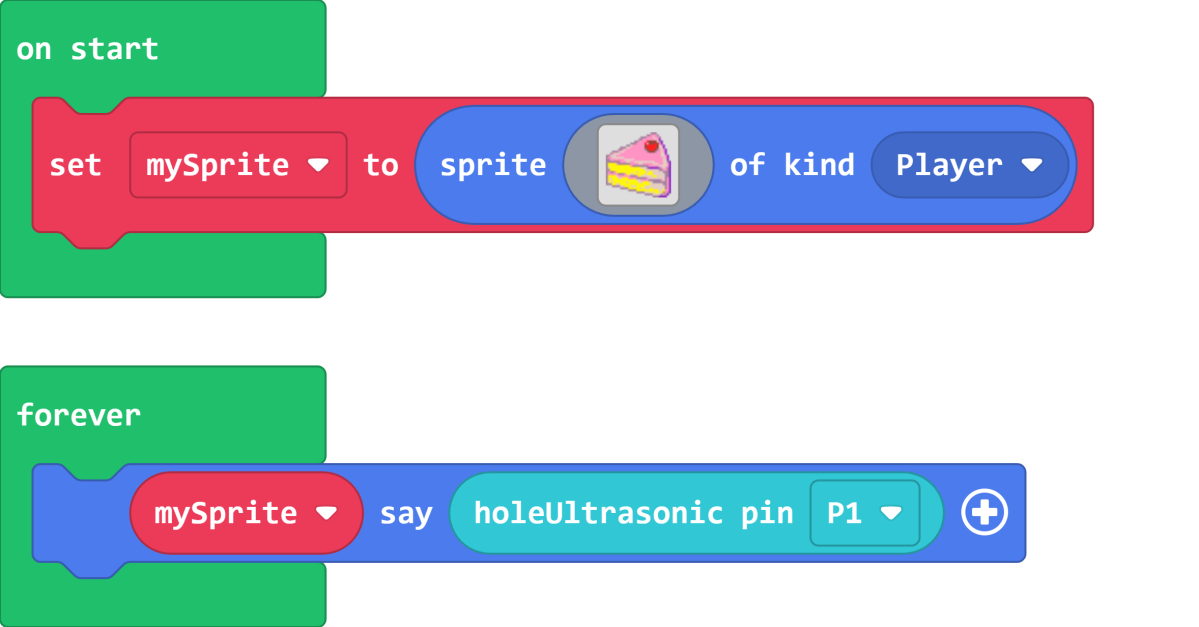
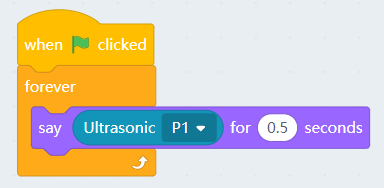
**Reading the distance:**

![](https://kittenbothk-eng.readthedocs.io/en/latest/_images/ultrasound_codeMeow1.png)

[Sample Code Link](https://makecode.com/_fC6XoUHHR79p)

#### Controlling the RGB LED(only for V2)：

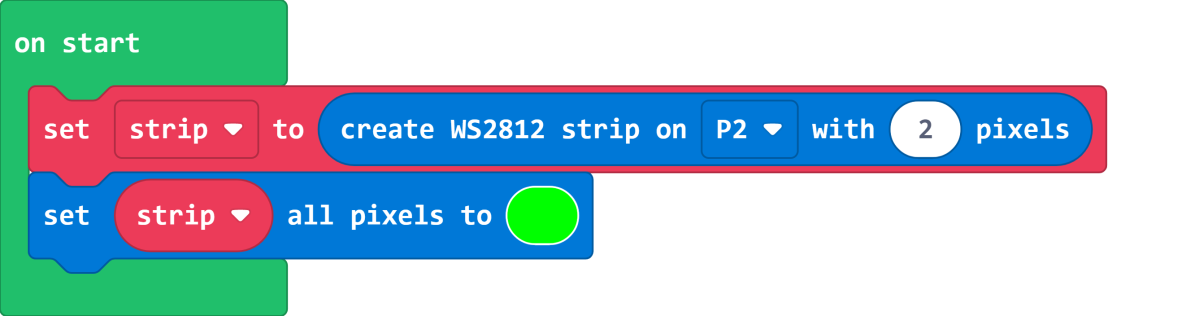
![](https://kittenbothk-eng.readthedocs.io/en/latest/_images/ultrasound_codeMeow2.png)

[Sample Code Link](https://makecode.com/_hs3LykMzV78o)

### Extension Version and Updates

There may be updates to extensions periodically, please refer to the following link to update/downgrade your extension.

[Makecode Extension Update](https://kittenbothk-eng.readthedocs.io/en/latest/Makecode/makecode_extensionUpdate.html)

### KittenBlock Coding Tutorial

![](https://kittenbothk-eng.readthedocs.io/en/latest/_images/kbbanner.png)

#### Load Robotbit extension

![](https://kittenbothk-eng.readthedocs.io/en/latest/_images/addRB.png)

**Reading the distance:**

![](https://kittenbothk-eng.readthedocs.io/en/latest/_images/ultraSound_code4.png)

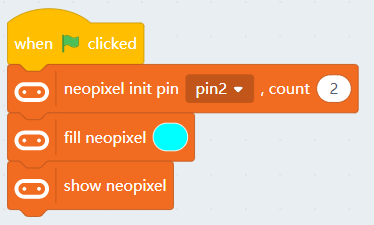
#### Controlling the RGB LED(only for V2)：

![](https://kittenbothk-eng.readthedocs.io/en/latest/_images/ultraSound_code5.png)


---

# Agent Instructions: Querying This Documentation

If you need additional information that is not directly available in this page, you can query the documentation dynamically by asking a question.

Perform an HTTP GET request on the current page URL with the `ask` query parameter:

```
GET https://sharinghub-eng.kittenbot.hk/functional_module/ultrasound.md?ask=<question>
```

The question should be specific, self-contained, and written in natural language.
The response will contain a direct answer to the question and relevant excerpts and sources from the documentation.

Use this mechanism when the answer is not explicitly present in the current page, you need clarification or additional context, or you want to retrieve related documentation sections.