> For the complete documentation index, see [llms.txt](https://sharinghub-eng.kittenbot.hk/llms.txt). Markdown versions of documentation pages are available by appending `.md` to page URLs; this page is available as [Markdown](https://sharinghub-eng.kittenbot.hk/functional_module/turbidity.md).
# Turbidity Sensor
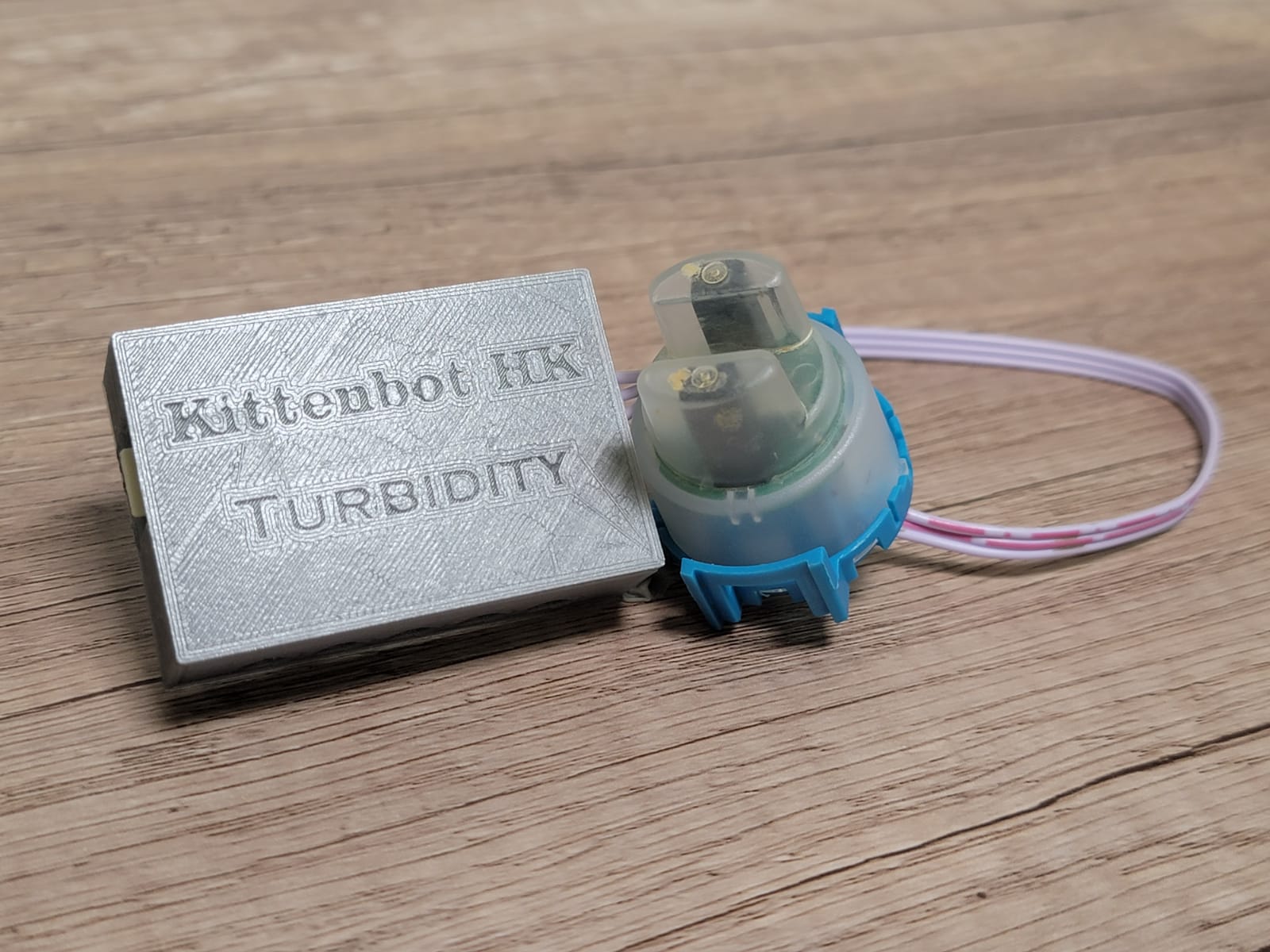
Turbidity sensor can detect the turbidity(clearness/murkiness) of water.
### Product Specifications
* Voltage:3V\~5V
* Port: 3pin
* Operating Temperature: 5°C\~85°C
* Weight: 30g
### Hardware Connection
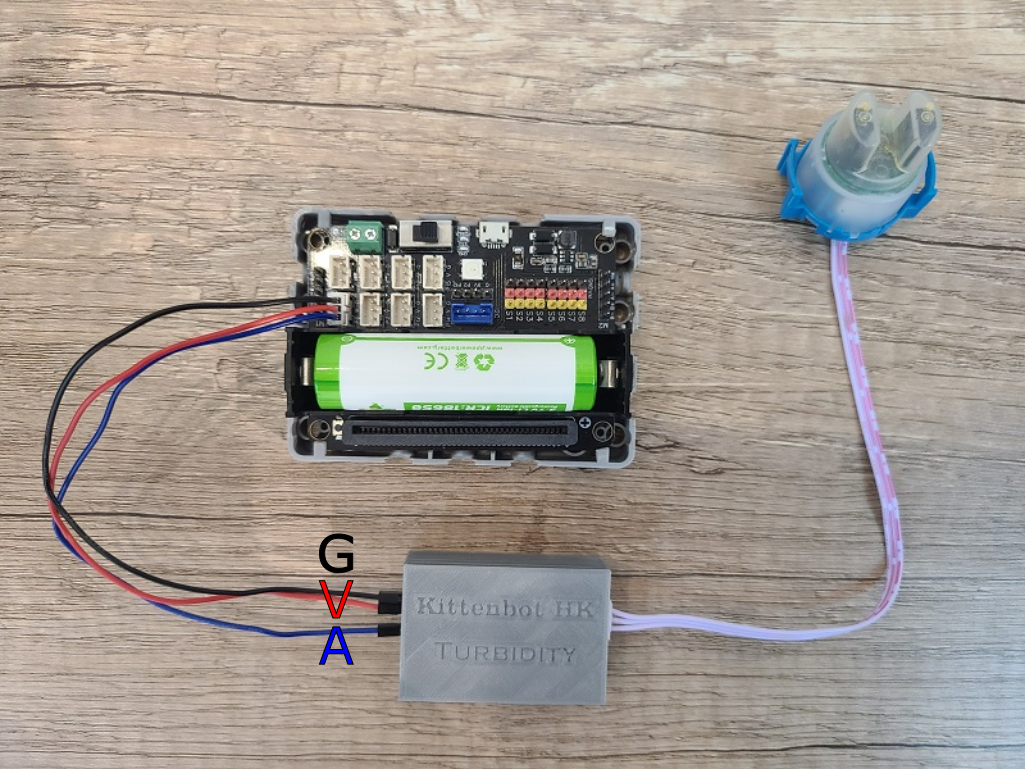
Connect Pin A to a signal pin, G and V to GND and 3V.
```
Turbidity Sensor is a analog sensor, it needs to connect to an analog pin.
It is recommended to use turbidity sensor with a water temperature sensor.
```
### MakeCode Programming Tutorial
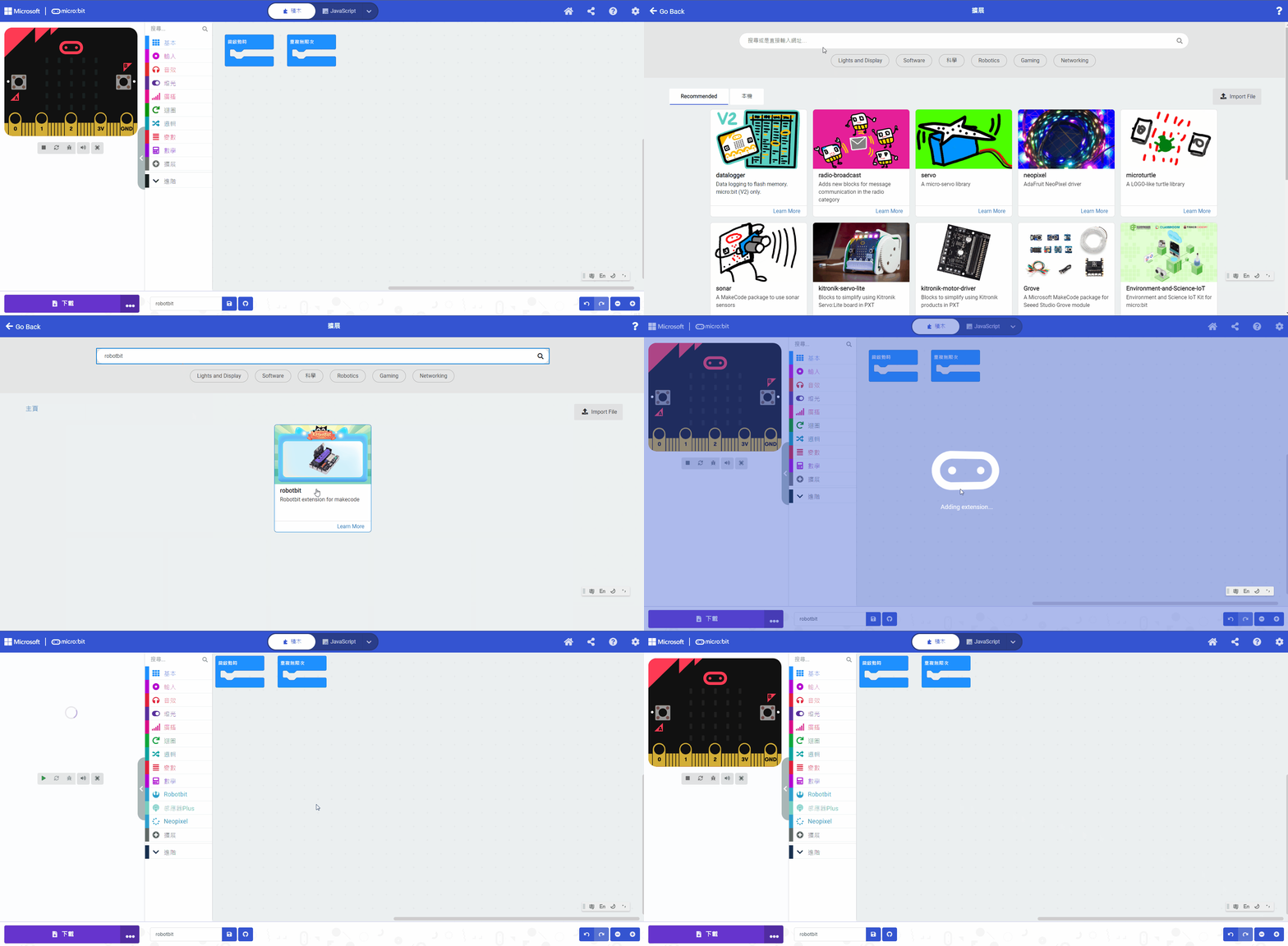
#### Search Robotbit in extensions. (Robotbit is verified by Microsoft)
[Importing Extensions Tutorial](/programming-platforms/makecode-tutorial/kittenbot-and-makecode.md)
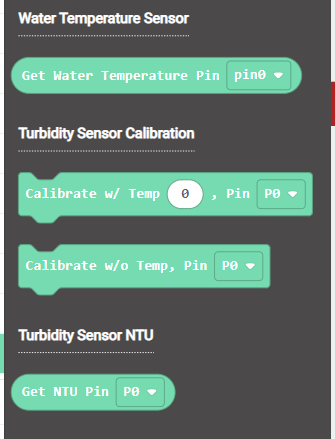
#### Blocks for Turbidity Sensor:
#### Turbidity Sensor Programming
```
Calibrating the turbidity sensor with the water temperature can result in higher accuracy.
Note: The sensor is not waterproof, please do not submerge in water.
```
{% embed url="" %}
[Sample Program](https://makecode.microbit.org/_WjmH6zahVTUe)
### Extension Version and Updates
There may be updates to extensions periodically, please refer to the following link to update/downgrade your extension.
[Makecode Extension Update](https://kittenbothk-eng.readthedocs.io/en/latest/Makecode/makecode_extensionUpdate.html)
### Futureboard KittenBlock Programming Tutorial
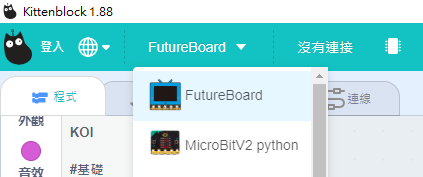
#### Select FutureBoard from the Hardware Menu
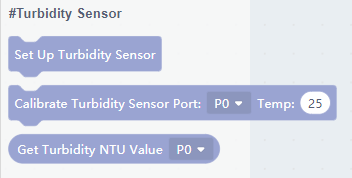
#### Programming Blocks for Turbidity Sensor
#### Turbidity Sensor Programming
```
Using a water temperature sensor to calibrate the turbidity sensor will result in more accurate readings.
Caution: The Turbidity Sensor is not waterproof, do not immerse the entire sensor into the water.
```
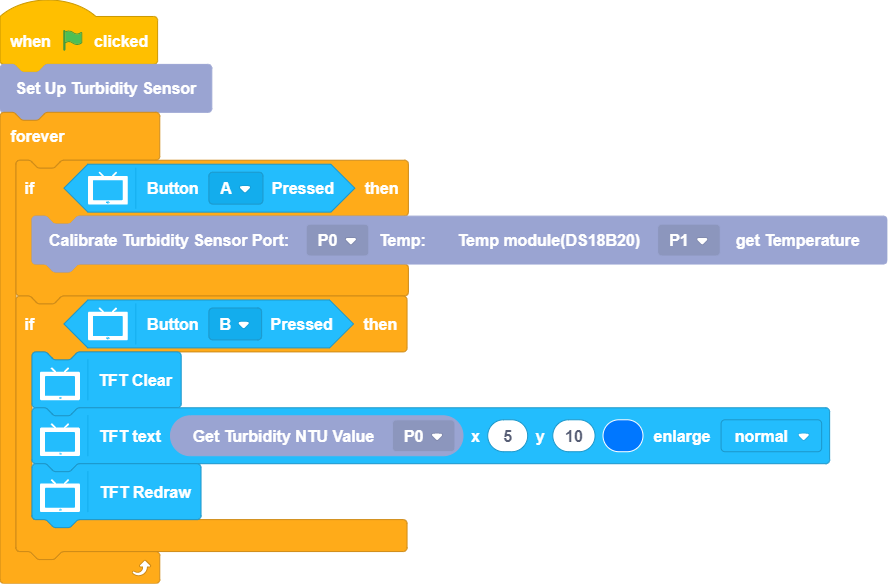
[Sample Program](https://kittenbothk-eng.readthedocs.io/en/latest/functional_module/images/turbidity_kittenblock1.88.sb3)
### Demo Video
#### Micro:bit
{% embed url="" %}
#### Futureboard
{% embed url="" %}