> For the complete documentation index, see [llms.txt](https://sharinghub-eng.kittenbot.hk/llms.txt). Markdown versions of documentation pages are available by appending `.md` to page URLs; this page is available as [Markdown](https://sharinghub-eng.kittenbot.hk/airelated/ai-camera-koi-2/makecode-programming/code-scanner.md).
# Code Scanner
### MakeCode Programming Tutorial
#### Extension link: [**https://github.com/KittenBot/pxt-koi2**](https://github.com/KittenBot/pxt-koi2)
Search for KOI2 in the search bar, select KOI 2.(KOI 2 has been approved by Microsoft)
The extension will be imported into your project.
### Coding Blocks
### Sample Program
{% hint style="info" %}
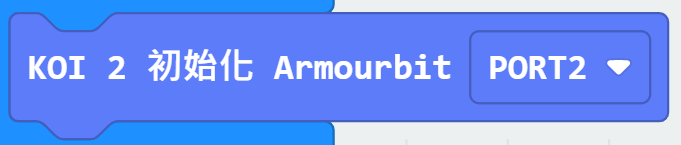
Armourbit users need to use the corresponding initialization block
{% endhint %}
{% embed url="" %}
[Sample Program](https://makecode.microbit.org/_Auhc1gdeRakV)
#### Sample Program Operations
1. Press Button A on the Micro:bit to scan a QR code, Micro:bit will display the results.
2. Press Button B on the Micro:bit to track a custom color line, aim the KOI at the color for calibration. Micro:bit will display the X1 coordinates of the tracked line.