> For the complete documentation index, see [llms.txt](https://sharinghub-eng.kittenbot.hk/llms.txt). Markdown versions of documentation pages are available by appending `.md` to page URLs; this page is available as [Markdown](https://sharinghub-eng.kittenbot.hk/functional_module/ph/tutorial.md).
# pH Meter Programming Tutorial
### Programming Tutorial
#### MakeCode Programming Tutorial

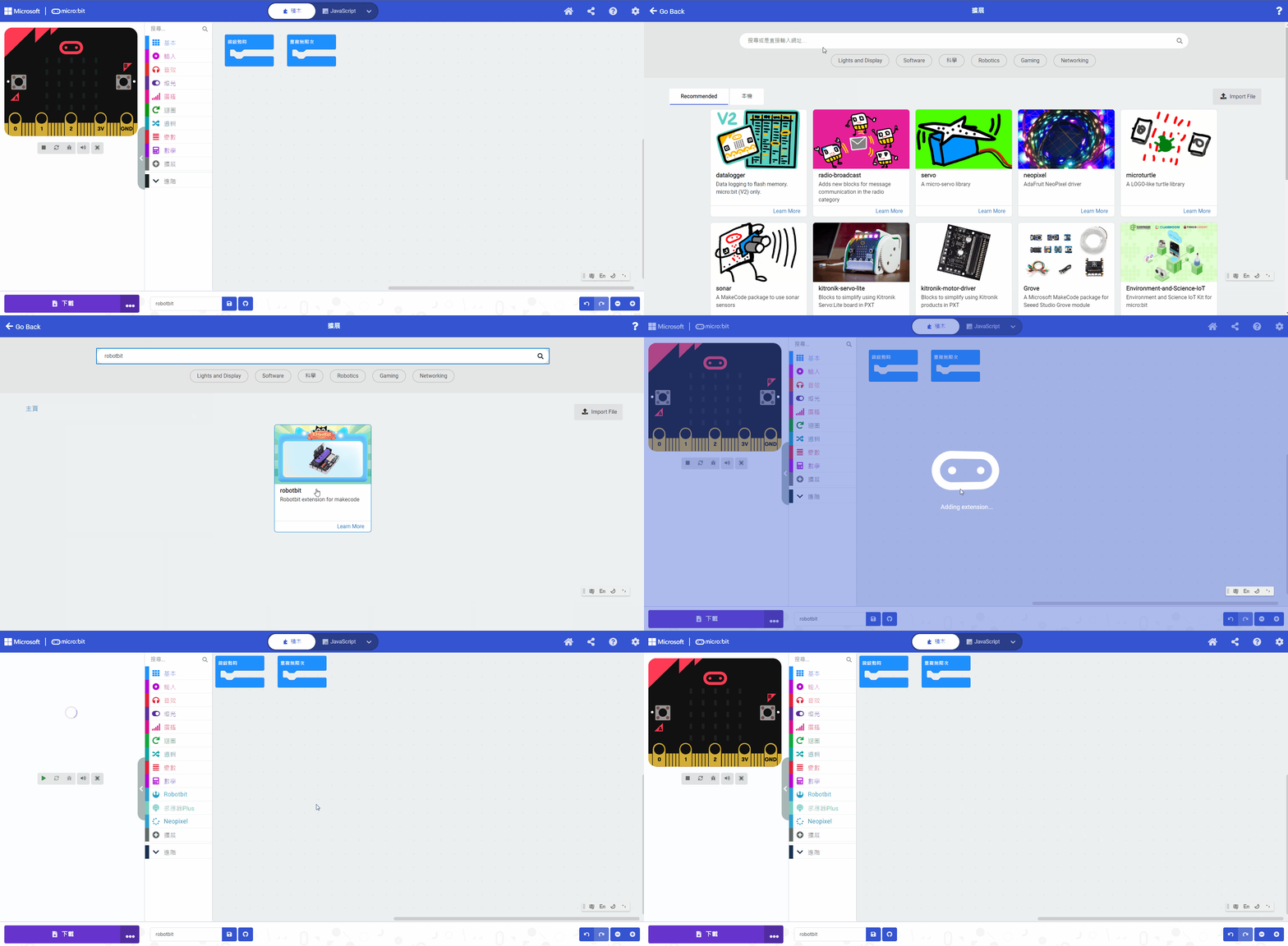
#### Search Robotbit in extensions. (Robotbit is verified by Microsoft)
[Importing Extensions Tutorial](/programming-platforms/makecode-tutorial/kittenbot-and-makecode.md)
#### Blocks for pH Meter:
#### MakeCode Sample Program
{% embed url="" %}
[Sample Program](https://makecode.microbit.org/_7WjD742382au)
#### pH Meter Instructions.
1. Submerge the sensor into PH4.0 solution, wait for 1 minute.
2. Press A to calibrate for PH4.0.
3. Clean the sensor with distilled water and wipe dry.
4. Submerge the sensor into PH9.18 solution, wait for 1 minute.
5. Press B to calibrate for PH9.18.
6. Clean the sensor with distilled water and wipe dry.
7. Submerge the sensor into the target liquidm wait for 1 minute.
8. Press A+B to show the measured pH value.
### pH Meter Demo Video
{% embed url="" %}