# Sugar Cam Tutorial: KittenBlock AI

### KittenBlock Programming

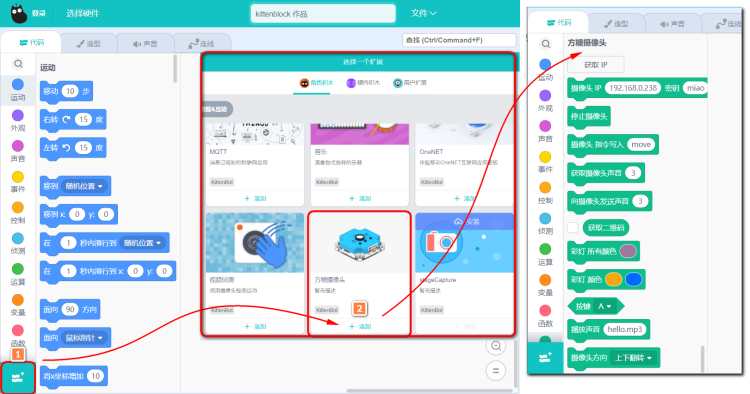
Add the Sugar Cam Extension.

<figure><img src="https://files.gitbook.com/v0/b/gitbook-x-prod.appspot.com/o/spaces%2F6uJvpXC43onNIIwhMlWo%2Fuploads%2FjbdGTjbzh4kTNGHMqtwm%2Fcam_ai1.png?alt=media&#x26;token=7ae77aa8-a130-4704-90af-9c584eeebfa2" alt=""><figcaption></figcaption></figure>

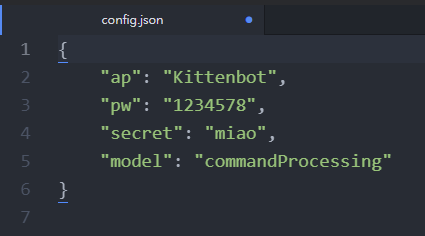
Both the computer and Sugar Cam need to connect to the same WiFi network.

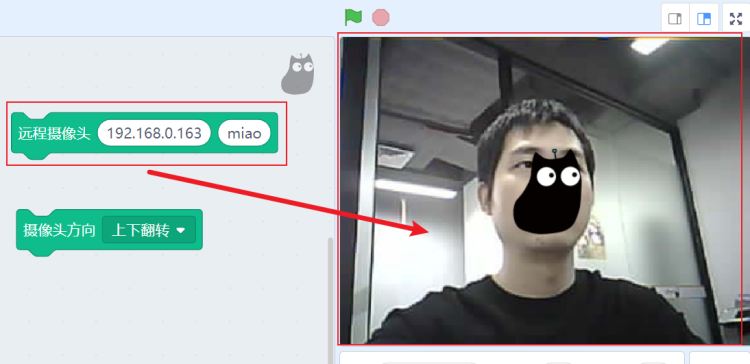
Add the following blocks and fill in the IP address, click the block to show the video feed.

<div><figure><img src="https://files.gitbook.com/v0/b/gitbook-x-prod.appspot.com/o/spaces%2F6uJvpXC43onNIIwhMlWo%2Fuploads%2FGAXWxLqpMgyyzwOZlpGk%2Fcam_kb4.png?alt=media&#x26;token=2020ba0d-cbf3-44ed-a743-6d494a192ed1" alt=""><figcaption></figcaption></figure> <figure><img src="https://files.gitbook.com/v0/b/gitbook-x-prod.appspot.com/o/spaces%2F6uJvpXC43onNIIwhMlWo%2Fuploads%2FEr5dnvG5rPrKVJONVrgV%2Fcam_ai2.png?alt=media&#x26;token=7aca320b-7e13-4407-9e6c-23e18c994a66" alt=""><figcaption></figcaption></figure></div>

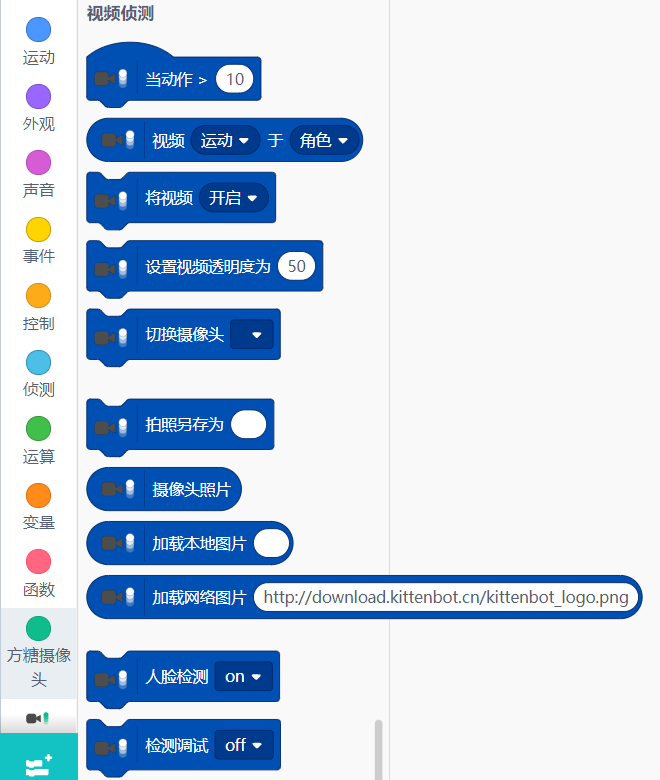
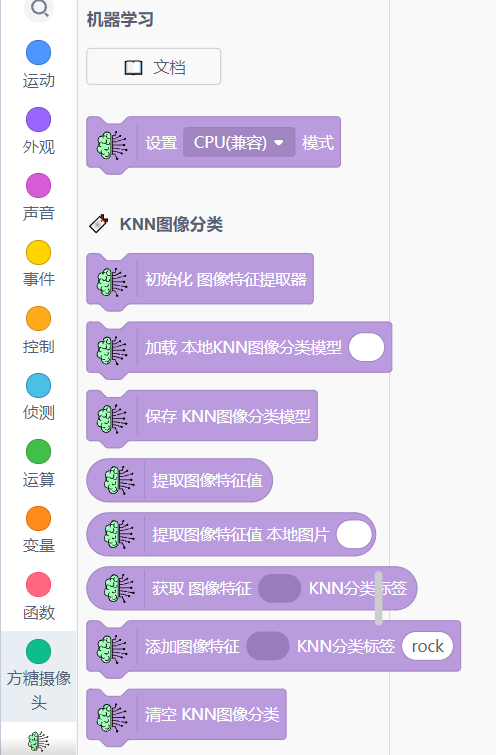
After successfully getting the video feed from Sugar Cam, you can combine it with the functions from the AI extensions.

{% content-ref url="broken-reference" %}
[Broken link](https://sharinghub-eng.kittenbot.hk/functional_module/sugar/cam/commandprocessing/broken-reference)
{% endcontent-ref %}

<div><figure><img src="https://files.gitbook.com/v0/b/gitbook-x-prod.appspot.com/o/spaces%2F6uJvpXC43onNIIwhMlWo%2Fuploads%2F1bpdI54wMY0EJVwjYc2b%2Fcam_ai3.png?alt=media&#x26;token=44b7048f-7e7d-493f-bddc-25394894025d" alt=""><figcaption></figcaption></figure> <figure><img src="https://files.gitbook.com/v0/b/gitbook-x-prod.appspot.com/o/spaces%2F6uJvpXC43onNIIwhMlWo%2Fuploads%2Fs8WD3AxwpEYsxT8yORB8%2Fcam_ai4.png?alt=media&#x26;token=dcef297b-6a35-4bec-aa17-0aafc9cef7a7" alt=""><figcaption></figcaption></figure></div>