# KittenClock RTC Module

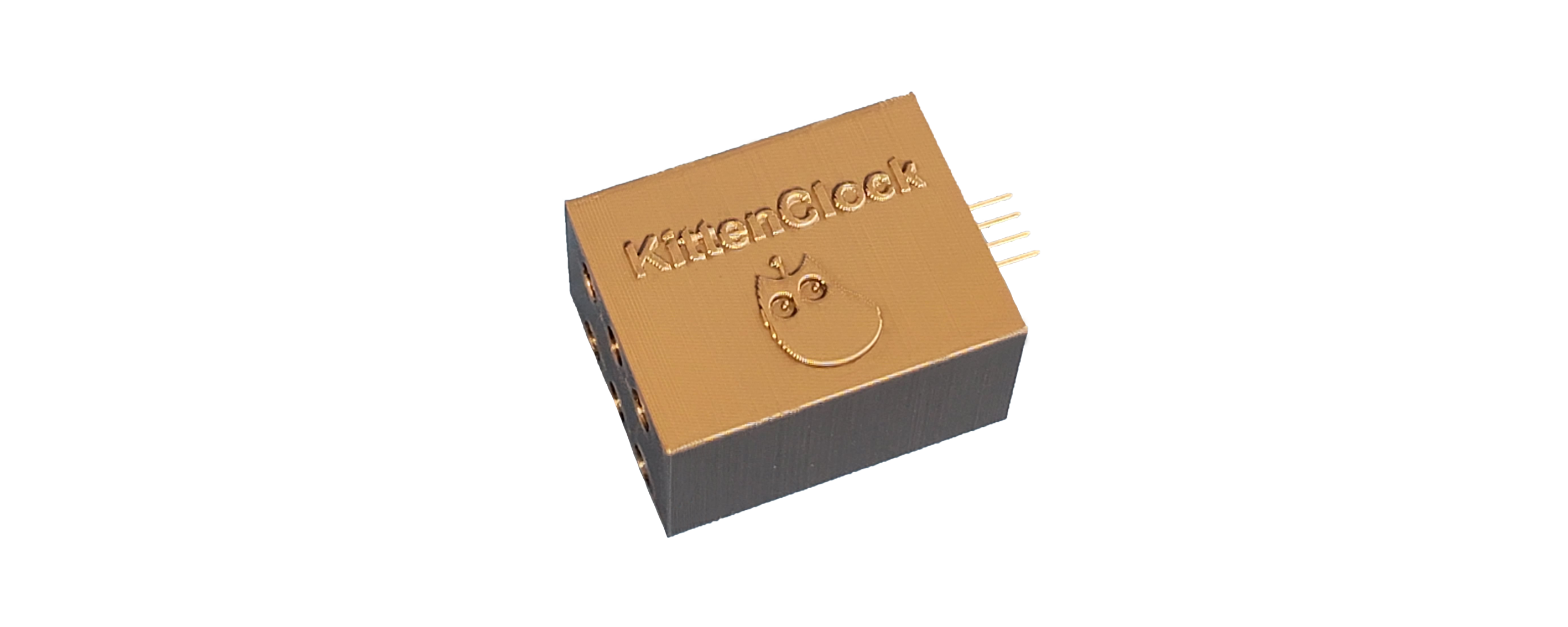
KittenClock RTC module can keep track of time and date.
![](https://kittenbothk.readthedocs.io/en/latest/_images/kittenclock9.png)

### Product Specifications

* Voltage: 3V\~5V
* Port: 4Pin I2C

### Hardware Connection

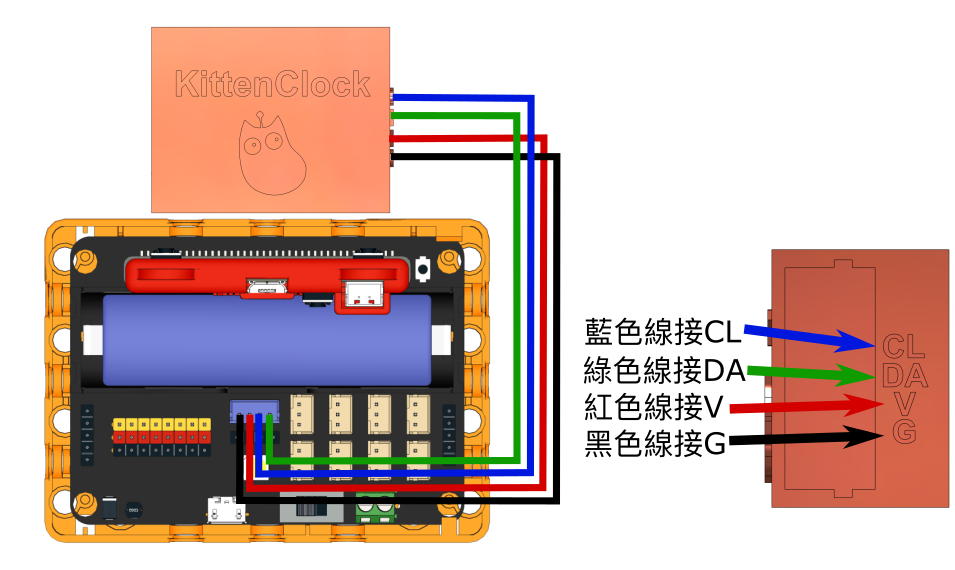
Connect KittenClock to the I2C port.
![](https://kittenbothk.readthedocs.io/en/latest/_images/kittenclock_wiring1.png)

### MakeCode Programming Tutorial

<figure><img src="https://kittenbothk-eng.readthedocs.io/en/latest/_images/mcbanner.png" alt=""><figcaption></figcaption></figure>

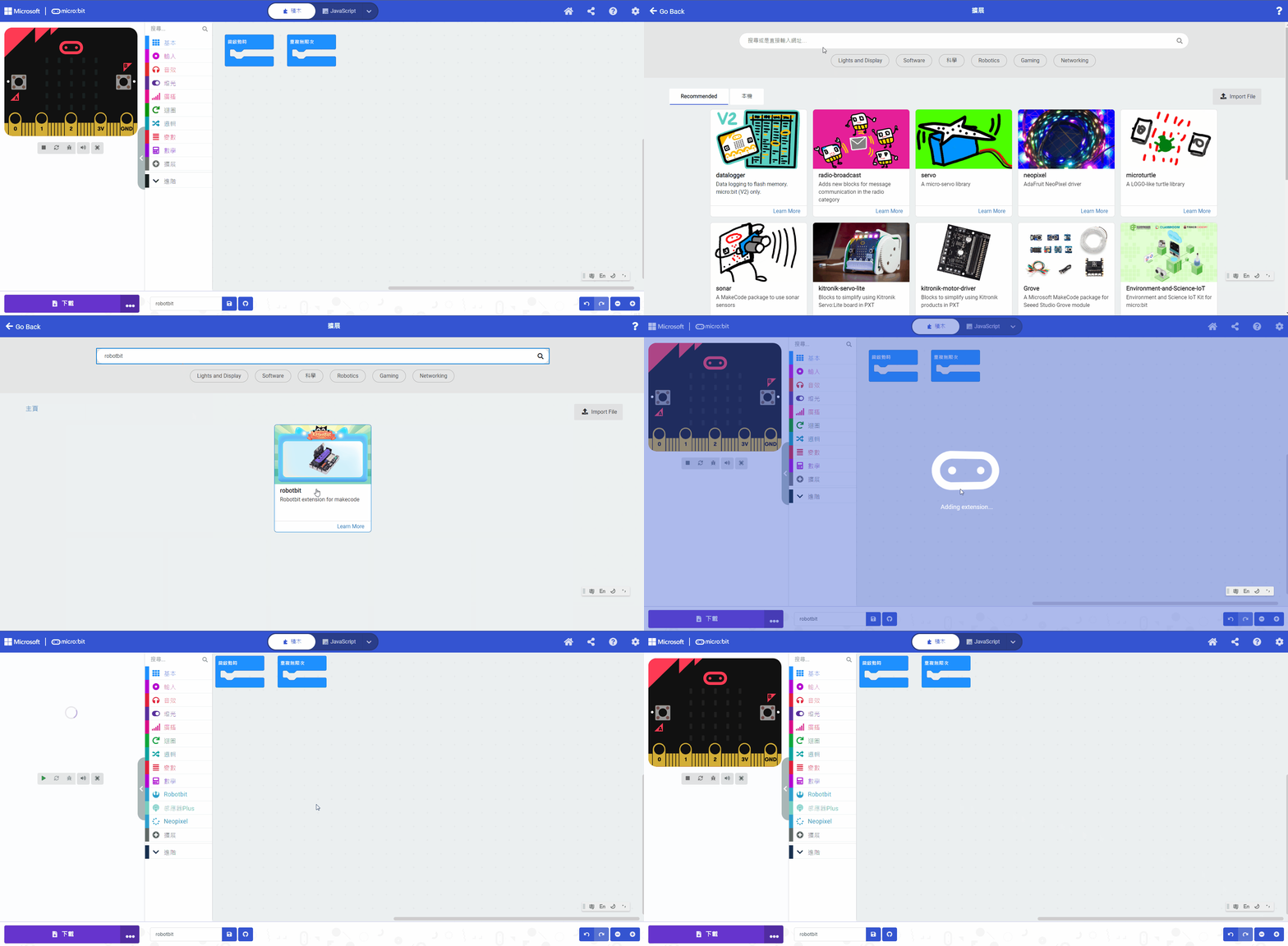
#### Search Robotbit in extensions. (Robotbit is verified by Microsoft)

<figure><img src="https://kittenbothk.readthedocs.io/en/latest/_images/robotbit_search.gif" alt=""><figcaption></figcaption></figure>

[Importing Extensions Tutorial](/programming-platforms/makecode-tutorial/kittenbot-and-makecode.md)

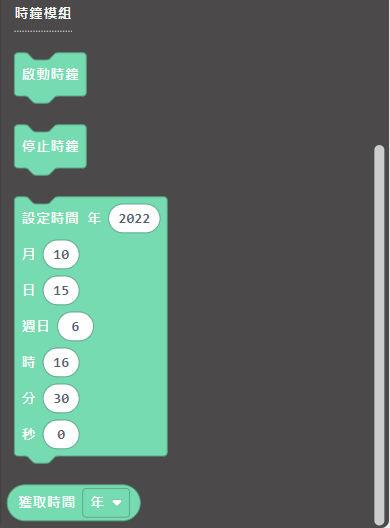
#### Blocks for KittenClock:
![](https://kittenbothk.readthedocs.io/en/latest/_images/kittenclock4.png)

#### KittenClock Programming

{% embed url="<https://makecode.microbit.org/_TM8LRq0VwDDq>" %}

#### [Sample Program](https://makecode.microbit.org/_TM8LRq0VwDDq)

### Extension Version and Updates

There may be updates to extensions periodically, please refer to the following link to update/downgrade your extension.

[Makecode Extension Update](https://kittenbothk-eng.readthedocs.io/en/latest/Makecode/makecode_extensionUpdate.html)

### Futureboard Kittenblock Programming Tutorial

![](https://kittenbothk-eng.readthedocs.io/en/latest/_images/kbbanner.png)

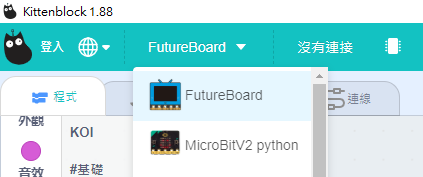
#### Select "Futureboard"

![](https://kittenbothk.readthedocs.io/en/latest/_images/turbidity_kb1.png)

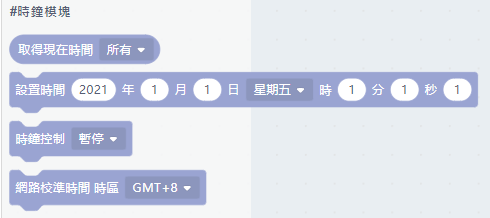
#### KittenClock blocks:

![](https://kittenbothk.readthedocs.io/en/latest/_images/kittenclock5.png)

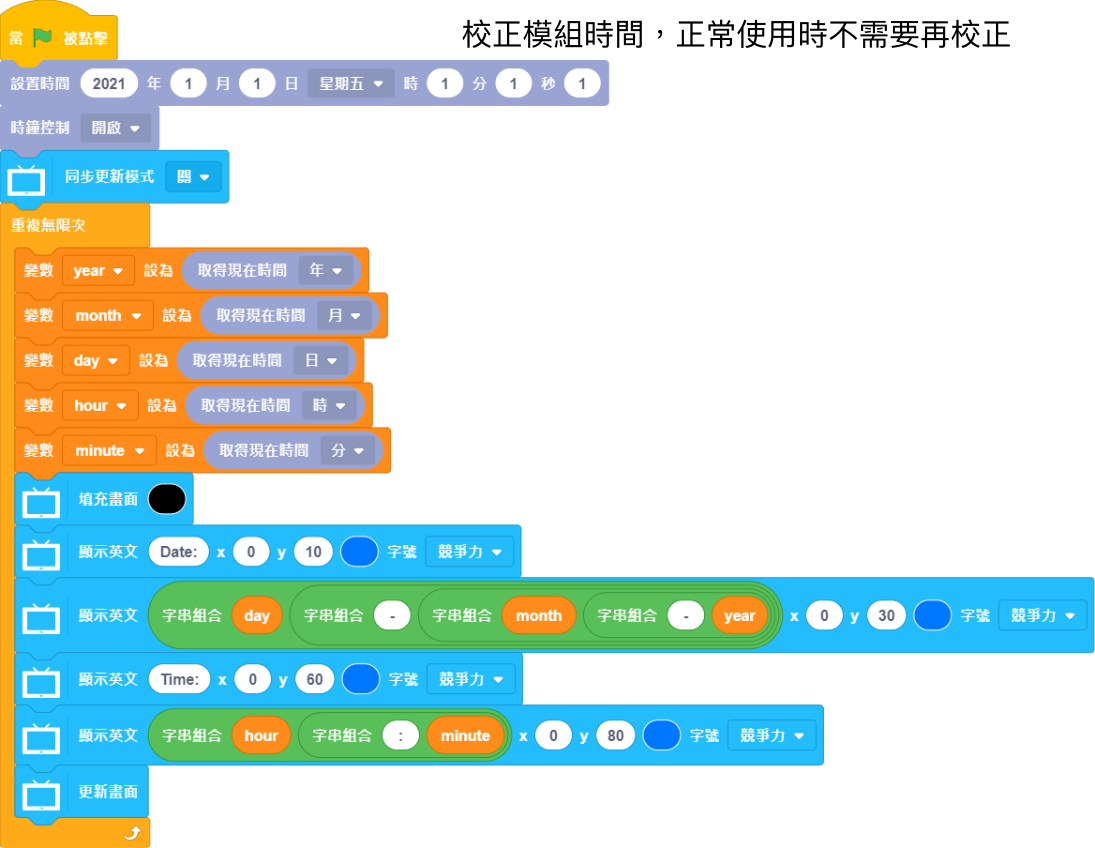
#### KittenClock Programming

![](https://kittenbothk.readthedocs.io/en/latest/_images/kittenclock_code_kb.png)

### Demo Video

#### Micro:bit

{% embed url="<https://www.youtube.com/watch?v=mO0ABHGqSdo>" %}


---

# Agent Instructions: Querying This Documentation

If you need additional information that is not directly available in this page, you can query the documentation dynamically by asking a question.

Perform an HTTP GET request on the current page URL with the `ask` query parameter:

```
GET https://sharinghub-eng.kittenbot.hk/functional_module/kittenclock.md?ask=<question>
```

The question should be specific, self-contained, and written in natural language.
The response will contain a direct answer to the question and relevant excerpts and sources from the documentation.

Use this mechanism when the answer is not explicitly present in the current page, you need clarification or additional context, or you want to retrieve related documentation sections.